CronMon
cron vs launchd on macOS
Side by side
| cron | launchd | |
|---|---|---|
| Where it lives | One line per job in your crontab | One property list per job in ~/Library/LaunchAgents and the system directories |
| Writing a schedule | 30 4 * * 1-5, with lists, ranges, steps and @daily | A dictionary of integers; no ranges or steps, so several times means several dictionaries |
| Asleep at the time | The run is lost | The job runs when the Mac wakes |
| PATH | /usr/bin:/bin unless the crontab sets one | /usr/bin:/bin:/usr/sbin:/sbin unless the job sets one |
| Output | Mailed to /var/mail/<user> | Discarded unless you set StandardOutPath and StandardErrorPath |
| History | None. Nothing records a cron run | launchctl print gives a run count and the last exit code |
| Running now | Run the command yourself | launchctl kickstart |
| Apple's position | Present, works, documented as legacy | The supported way to schedule work |
The three differences that decide it
Missed runs
A laptop is asleep at 03:00 most nights. cron simply misses that run and waits for tomorrow, which also misses. launchd remembers a calendar job was due and runs it once when the Mac wakes. For a nightly backup on a laptop, that alone settles the argument.
Evidence
When a launchd job misbehaves you can ask it what happened: launchctl print gui/$UID/com.example.job reports its state, its runs count and the last exit code, as your own user with no password. cron keeps nothing, and writes no entries to the unified log at any level, so a cron job that fails silently leaves no trace anywhere except the mail it sent.
Effort
cron wins here and it is not close. A crontab line is twenty characters; the equivalent property list is twenty lines of XML, a Label you must keep unique, and a bootstrap command to remember. That is why most Macs still have both.
Things that surprise people
- cron on macOS is not running until somebody has a crontab: launchd starts it on demand, through com.vix.cron, when the spool directory gets a file. An empty pgrep cron is not a fault.
- Both are subject to Full Disk Access. cron needs /usr/sbin/cron added; a launchd agent needs the program it runs added. Details here.
- StartInterval counts from when the job was loaded, not from the top of the hour, so "every 30 minutes" drifts across reboots. cron's */30 does not.
- Both schedulers OR their two day fields, and neither warns you. In cron, 0 0 13 * 5 is the 13th or any Friday, not Friday the 13th. launchd.plist(5) says the same of its own pair: "If both Day and Weekday are specificed, then the job will be started if either one matches the current date." So a calendar dictionary with Day 1 and Weekday 1 runs on the first of the month and on every Monday. CronMon works the next runs out that way too, which is the quickest way to notice an entry that fires more often than you meant.
- Neither reads your shell profile. Anything .zshrc sets is not there.
See what you already have
Most Macs are running both, usually without anyone deciding so. Three commands to find out:
crontab -l                          # your cron jobs
ls ~/Library/LaunchAgents /Library/LaunchAgents /Library/LaunchDaemons
launchctl list | head -40           # what is loaded in your session right now
The agents you did not write are Homebrew's brew autoupdate, Docker, JetBrains, Adobe, backup tools and updaters. launchctl list shows everything loaded, scheduled or not; to see only the scheduled ones you have to open each property list and look for StartCalendarInterval or StartInterval.
Which to use
Use launchd when the job matters: backups, syncs, anything you would want to prove ran. Use cron when you want a line in a file you can read a year from now, the job is harmless if it is skipped, and you will redirect its output to a log yourself. Do not migrate working cron jobs for the sake of it; do write new important ones as agents.
Or stop choosing sides and see both
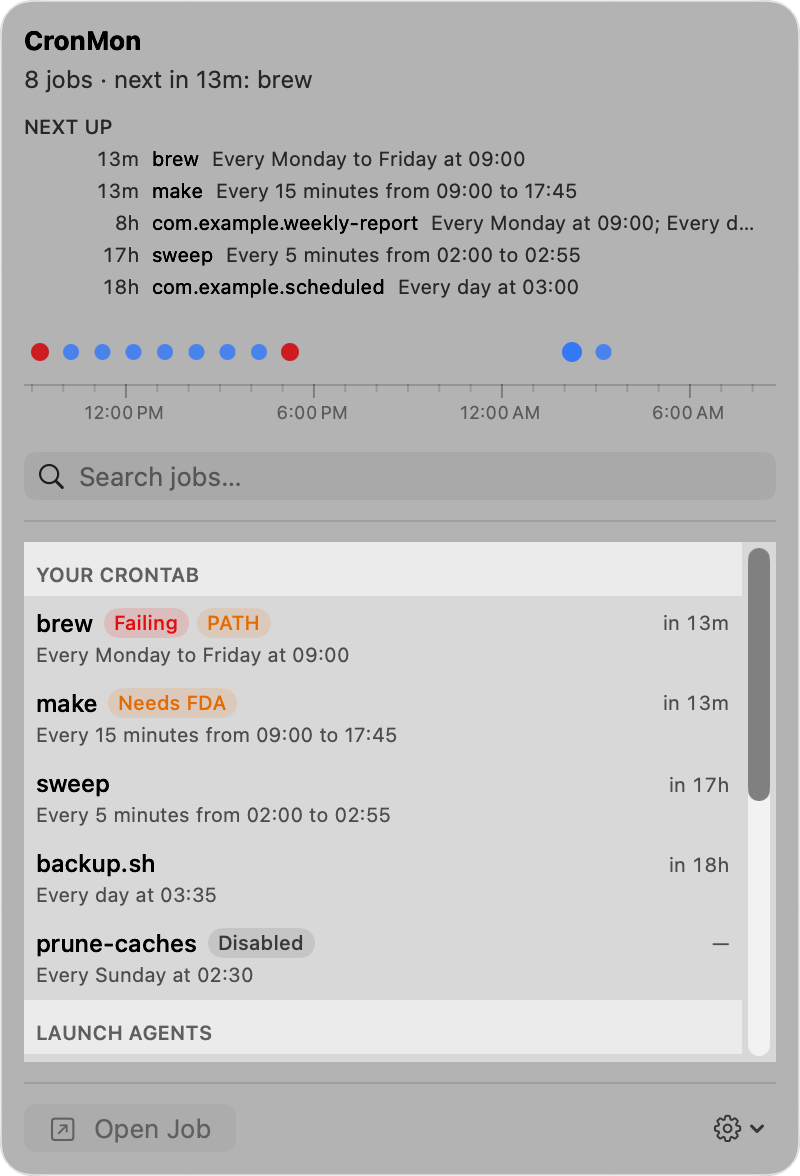
CronMon lists your crontab and the scheduled launchd agents and daemons together, sorted by when they next run, each schedule written out in English. It is the quickest way to answer "what actually runs at 4am on this Mac", which on most Macs is a question spread across both schedulers.